Webhooks & events.
sparx publishes a business event for everything that happens: an order is paid, a content entry is published, a customer is created. Subscribe a URL to the events you care about and sparx delivers each one as a signed HTTP POST, with retries.
Overview
Internally, every sparx event is published to a per-topic Google Pub/Sub stream and consumed by platform workers (the email worker, the search indexer, cache revalidation, and more). Webhooks expose that same stream to you: register an HTTPS endpoint, list the events you want, and sparx POSTs each matching event to your URL.
- Signed. Every delivery carries an
X-sparx-SignatureHMAC so you can prove it came from sparx. - At-least-once. A non-2xx response is retried with exponential backoff for up to ~7.5 hours: design your handler to be idempotent.
- Tenant-scoped. A subscription only ever receives its own tenant’s events; isolation is enforced at the database layer by Row-Level Security.
Create a subscription
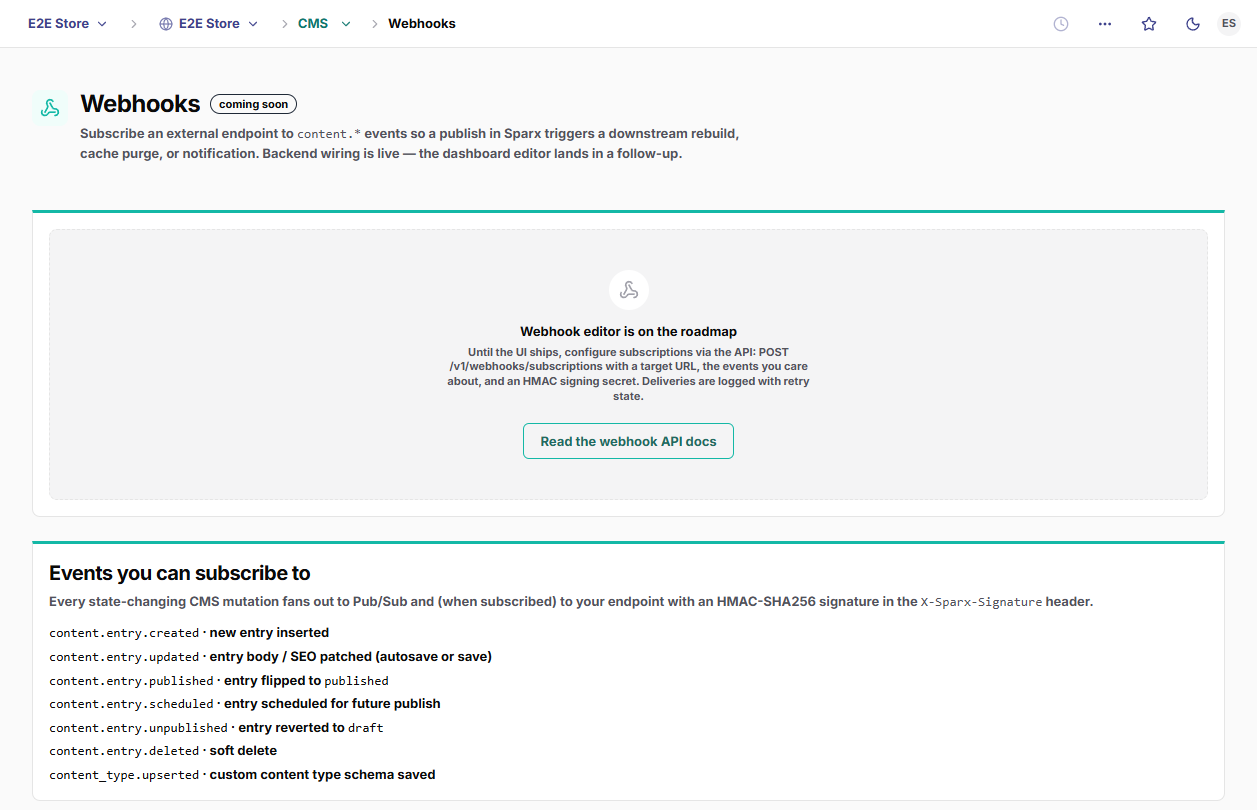
Subscriptions are created via the API today: a tenant admin posts a name, a URL, and the events to listen for. (A dashboard editor is on the roadmap; until it ships, the dashboard points you here.) Creating one returns a signing secret exactly once; store it immediately, because every later read shows only a redacted preview.
curl https://api.sparx.works/v1/webhooks/subscriptions \
  -H "Authorization: Bearer $SPARX_KEY" \
  -H "Content-Type: application/json" \
  -d '{
    "name": "Content sync",
    "url": "https://example.com/hooks/sparx",
    "events": ["content.entry.published", "content.entry.updated"]
  }'
The response returns the created subscription, including the full secret this one time:
{
  "success": true,
  "data": {
    "id": "b7e3a1c2-9f4d-4a1b-8c2e-1f0a9d6b3e57",
    "name": "Content sync",
    "url": "https://example.com/hooks/sparx",
    "events": ["content.entry.published", "content.entry.updated"],
    "active": true,
    "signingSecret": "whsec_3f9a…e21",   // shown ONCE: store it now
    "createdAt": "2026-06-05T17:41:09Z"
  }
}signingSecret (whsec_…) is only ever returned in this create response. GET and PATCH return a redacted preview (first 8 characters). If you lose it, rotate by deleting and recreating the subscription.Subscribable events
A subscription names one or more event types in its events array. Today the following events are available for webhook delivery:
| Event | Fires when |
|---|---|
content.entry.created | A content entry (page, blog post, …) is created. |
content.entry.updated | An entry’s fields change. |
content.entry.published | An entry goes live. |
content.entry.scheduled | An entry is scheduled to publish later. |
content.entry.unpublished | A live entry is taken down. |
content.entry.deleted | An entry is deleted. |
media.uploaded | A media asset is uploaded. |
media.processed | Derivatives/transforms for an asset finish processing. |
redirect.added | A URL redirect is created. |
redirect.removed | A URL redirect is removed. |
The delivery payload
Each delivery is an HTTP POST to your URL with a JSON body and three sparx headers:
| Header | Value |
|---|---|
X-sparx-Event | The event type, e.g. content.entry.published. |
X-sparx-Delivery | A unique id for this delivery attempt. Use it to dedupe. |
X-sparx-Signature | sha256=<hex>: the HMAC of the raw body (see below). |
POST /hooks/sparx HTTP/1.1
Host: example.com
Content-Type: application/json
X-sparx-Event: content.entry.published
X-sparx-Delivery: 2b9f0c14-7e6a-4d33-9b2f-5a1c8e0d44a1
X-sparx-Signature: sha256=9d1e7c…f04b

{
  "id": "2b9f0c14-7e6a-4d33-9b2f-5a1c8e0d44a1",   // the delivery id
  "type": "content.entry.published",
  "tenant_id": "a1c2d3e4-…",
  "data": { /* the event payload: shape varies by event type */ },
  "delivered_at": "2026-06-05T17:41:10Z"
}
The body is stable across event types: id (the delivery id), type, tenant_id, delivered_at, and data: the event payload, whose shape depends on the event type.
Verify the signature
Every request is signed with HMAC-SHA256 using your subscription’s signing secret. Compute the same HMAC over the raw request body and compare it to the X-sparx-Signature header. Reject anything that doesn’t match.
import { createHmac, timingSafeEqual } from "node:crypto";

// IMPORTANT: verify against the RAW request body, before any JSON parse.
// Re-serializing the JSON changes the bytes and the signature won't match.
export function verifySparxWebhook(rawBody: string, header: string, secret: string): boolean {
  const expected = createHmac("sha256", secret).update(rawBody).digest("hex");
  const received = header.replace(/^sha256=/, "");
  const a = Buffer.from(expected);
  const b = Buffer.from(received);
  return a.length === b.length && timingSafeEqual(a, b);
}

// In your handler:
//   const sig = req.headers["x-sparx-signature"];
//   if (!verifySparxWebhook(rawBody, sig, process.env.SPARX_WEBHOOK_SECRET)) {
//     return new Response("bad signature", { status: 400 });
// }timingSafeEqual), never ===.Retries & failure
Respond 2xx quickly to acknowledge a delivery: do the real work afterward, off the request path. Any non-2xx response, a timeout (10s), or a network error schedules a retry with exponential backoff:
| Attempt | Wait before retry |
|---|---|
| 1 → 2 | ~1 minute |
| 2 → 3 | ~5 minutes |
| 3 → 4 | ~15 minutes |
| 4 → 5 | ~30 minutes |
| 5 → 6 | ~1 hour |
| 6 → 7 | ~2 hours |
| 7 → 8 | ~4 hours |
After 8 attempts (≈ 7.5 hours total) a delivery is marked failed and no longer retried. Because deliveries are retried, the same event may arrive more than once: make your handler idempotent by deduping on X-sparx-Delivery.
Manage subscriptions
List your subscriptions (secrets come back redacted):
Update a subscription’s name, URL, or event list, or pause it without deleting by setting active: false:
curl -X PATCH https://api.sparx.works/v1/webhooks/subscriptions/$ID \
  -H "Authorization: Bearer $SPARX_KEY" \
  -H "Content-Type: application/json" \
  -d '{ "active": false }'
Delete a subscription permanently:
All changes are recorded in the tenant audit log. Creating, updating, and deleting require an admin role; listing requires viewer.
Full event catalog
For reference, here is the platform’s event taxonomy (defined in @wizeworks/events), grouped by domain. The subset available for webhook subscription is called out above; the rest are consumed internally (by platform workers and MCP) as modules adopt the shared bus.
Platform & content
- Tenant:
tenant.created - Templates:
template.install·template.installed·template.install_failed - Content:
content.entry.created·content.entry.updated·content.entry.published·content.entry.scheduled·content.entry.unpublished·content.entry.deleted·content.revision.created·content_type.upserted - Media:
media.uploaded·media.processed·media.deleted - SEO:
redirect.added·redirect.removed - Search:
search.entity.changed
Commerce
- Catalog:
product.created·product.updated·product.deleted·variant.created·variant.updated·variant.deleted - Inventory:
inventory.adjusted·inventory.low·inventory.depleted - Cart & checkout:
cart.created·cart.updated·cart.abandoned·cart.recovered·checkout.started·checkout.completed·checkout.expired - Orders:
order.placed·order.paid·order.fulfilled·order.delivered·order.cancelled·order.refunded·order.payment_failed - Subscriptions:
subscription.created·subscription.renewed·subscription.payment_failed·subscription.paused·subscription.resumed·subscription.cancelled - Returns:
return.requested·return.approved·return.received·return.refunded - Reviews:
review.submitted·review.published·review.flagged - Providers:
provider.installed·provider.uninstalled·provider.health_changed - Gift cards & credit:
giftcard.issued·giftcard.redeemed·accountcredit.granted·accountcredit.spent - Configurator:
configuration.requested·configuration.quoted·configuration.accepted
- Sending:
email.send·email.domain.verified
Email engagement and delivery events (opens, clicks, bounces, broadcast lifecycle) are tracked within the Email module rather than the cross-module bus: see the Email module docs for those.